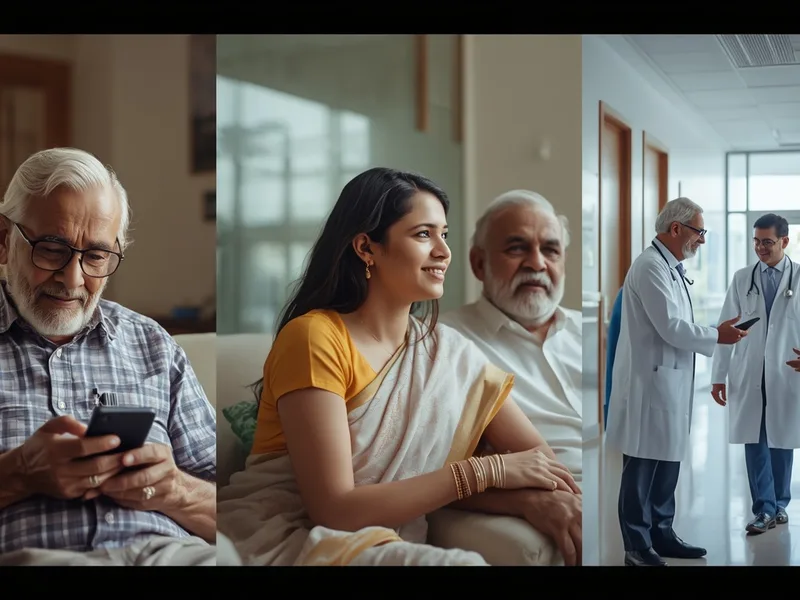
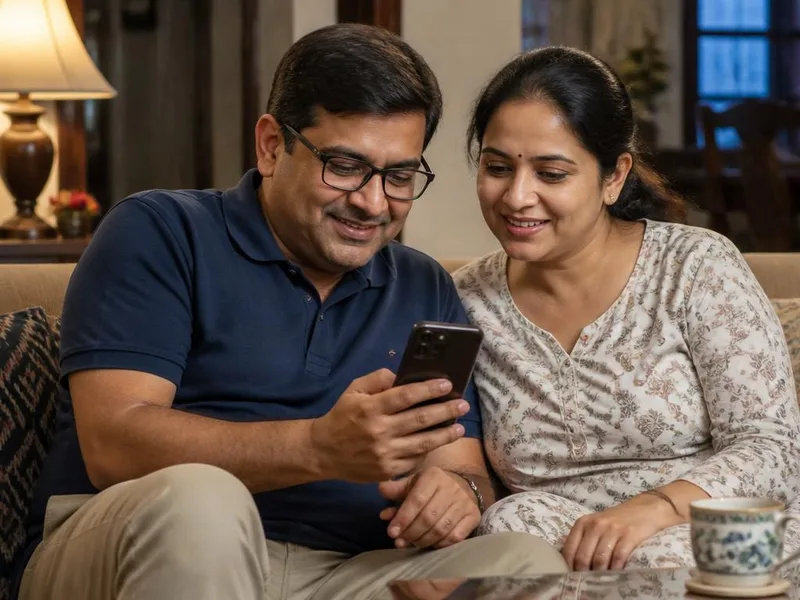
Living with Age-related Macular Degeneration (AMD), particularly the "wet" form, can be a challenging journey that profoundly impacts daily activities and independence. Wet AMD is a leading cause of severe vision loss among people aged 50 and older. While medical treatments aim to slow its progression and preserve vision, many individuals still experience varying degrees of low vision, which can feel isolating and limit participation in everyday life. Fortunately, advancements in technology have ushered in a new era of support, with mobile applications playing a pivotal role in empowering those with low vision to navigate the world more effectively. This comprehensive guide delves into understanding Wet AMD, its profound impact on vision, and how innovative digital tools and apps can transform the lives of individuals living with this condition, offering a pathway to greater independence and an enhanced quality of life.
Understanding Wet Age-related Macular Degeneration (AMD)
Age-related Macular Degeneration (AMD) is a progressive eye condition that primarily affects the macula, a small, highly sensitive area in the center of the retina. The retina, located at the back of the eye, is responsible for converting light into electrical signals that are sent to the brain, allowing us to see. The macula specifically controls sharp, straight-ahead vision, which is essential for detailed tasks like reading, recognizing faces, driving, and distinguishing fine details. When the macula is damaged, central vision becomes blurred or distorted, while peripheral (side) vision usually remains unaffected.
What is the Macula and Its Importance?
The macula, though small, is densely packed with photoreceptor cells, particularly cone cells. These cones are responsible for our high-acuity vision, allowing us to perceive fine details and distinguish colors in bright light conditions. Damage to this critical area directly impairs our ability to perform tasks that demand visual precision and central focus, making the world seem hazy or with a significant "blind spot" right where we need to see most clearly.
Dry AMD vs. Wet AMD: A Crucial Distinction
Understanding the difference between the two primary forms of AMD is vital:
- Dry AMD (Atrophic AMD): This is the more prevalent form, accounting for approximately 80-90% of all AMD cases. It develops when small yellow deposits called drusen accumulate under the macula, and the light-sensitive cells in the macula slowly thin and break down. This process leads to a gradual blurring of central vision, typically progressing slowly over many years. While it can cause significant vision loss, it usually does so at a slower pace than Wet AMD.
- Wet AMD (Neovascular AMD): Though less common, Wet AMD is far more severe and can lead to rapid and profound vision loss if not promptly treated. It occurs when abnormal, fragile blood vessels begin to grow under the retina (a process called choroidal neovascularization). These new vessels are prone to leaking blood and fluid into the macula, causing immediate damage to the delicate light-sensitive cells. This leakage distorts vision, can cause scar tissue formation, and often results in a distinct dark or empty spot in the central visual field. The onset of symptoms in Wet AMD is often sudden and demands urgent medical attention.
Recognizing the Symptoms of Wet AMD
The symptoms of Wet AMD often manifest abruptly and can worsen rapidly, primarily affecting central vision while typically sparing peripheral vision. It is imperative to seek immediate medical evaluation if you experience any of these signs:
- Distorted Vision (Metamorphopsia): A hallmark symptom where straight lines, such as doorframes, utility poles, or lines on an Amsler grid, appear wavy, bent, or crooked. This is often one of the earliest and most critical indicators.
- Blurred Central Vision: Difficulty perceiving fine details directly in front of you, making tasks like reading or recognizing faces challenging.
- Presence of a Dark or Empty Spot (Scotoma): A central blind spot may develop, obstructing your direct line of sight and hindering activities that require central focus.
- Reduced Intensity or Brightness of Colors: Colors may appear duller, faded, or less vibrant than before.
- Difficulty Adapting to Low Light Levels: Struggling to see clearly in dimly lit environments or when transitioning from bright to dark settings.
- Trouble Recognizing Faces: Due to central vision impairment, distinguishing facial features can become increasingly difficult.
- Rapid Onset of Symptoms: Unlike Dry AMD, Wet AMD symptoms can appear suddenly and progress quickly over days or weeks.
Any sudden change in your vision, particularly the appearance of distorted or blurred central vision, warrants an urgent visit to an ophthalmologist.
Causes and Key Risk Factors for Wet AMD
While the precise etiology of Wet AMD remains complex, it is understood to arise from a combination of genetic predispositions and environmental factors. Key risk factors that increase an individual's susceptibility include:
- Age: Advancing age is the most significant risk factor. The condition predominantly affects individuals aged 50 and older, with the risk escalating substantially with each decade.
- Genetics and Family History: A strong family history of AMD significantly elevates an individual's risk. Specific genetic variants, such as those in the complement factor H (CFH) and ARMS2 genes, have been identified as contributors to a higher likelihood of developing the condition.
- Smoking: Smoking is a potent, modifiable risk factor. Both active smoking and exposure to secondhand smoke dramatically increase the risk of developing AMD and accelerate its progression to the more severe Wet form.
- Obesity: Research indicates a clear association between obesity and an increased risk of progressing from early or intermediate AMD to advanced, vision-threatening forms.
- Cardiovascular Disease: Conditions that affect the heart and blood vessels, such as atherosclerosis, can also contribute to the development and progression of AMD.
- High Blood Pressure and High Cholesterol: Poorly managed hypertension and elevated cholesterol levels are recognized as systemic risk factors that can impact ocular health, including the macula.
- Dietary Habits: A diet lacking in essential antioxidants, vitamins, and minerals, particularly those found in dark leafy green vegetables, yellow fruits, and fatty fish (rich in omega-3 fatty acids), may contribute to an increased risk. Conversely, a diet high in saturated fats is considered detrimental.
- UV Light Exposure: While direct causation is still under research, some studies suggest that prolonged, unprotected exposure to ultraviolet (UV) light may contribute to the cumulative damage that can lead to AMD.
Understanding and managing these risk factors can play a crucial role in prevention and slowing progression.
Diagnosis of Wet AMD: A Comprehensive Approach
Early and accurate diagnosis is paramount for effective management of Wet AMD and for maximizing vision preservation. An ophthalmologist or optometrist will conduct a thorough eye examination, which typically encompasses several diagnostic procedures:
- Visual Acuity Test: This standard test measures the sharpness of your vision at various distances, providing a baseline and tracking changes over time.
- Amsler Grid Test: A simple, self-administered test involving a grid of straight lines. Patients are asked to identify any distortions, wavy lines, or blank spots, which can be indicative of macular damage.
- Dilated Eye Exam: Eye drops are used to dilate (widen) the pupils, allowing the doctor an unobstructed view of the retina and macula. The doctor will look for signs of drusen (yellow deposits), pigmentary changes, and abnormal blood vessel growth characteristic of AMD.
- Optical Coherence Tomography (OCT): A non-invasive imaging technique that uses light waves to create high-resolution, cross-sectional images of the retina. OCT is invaluable for detecting fluid leakage, retinal swelling, and the presence of new, abnormal blood vessels beneath the retina, often before they are visible during a standard dilated exam. It's crucial for monitoring treatment effectiveness.
- Fluorescein Angiography (FA): In this procedure, a special fluorescent dye is injected into a vein in your arm. As the dye circulates through the blood vessels in your eye, a rapid series of photographs is taken. This reveals the precise location and extent of any leaking blood vessels, which appear as bright spots in the images.
These diagnostic tools provide a comprehensive picture, enabling the eye care professional to confirm a diagnosis of Wet AMD and formulate an appropriate treatment plan.
Treatment Options for Wet AMD: Preserving Precious Vision
While there is currently no definitive cure for Wet AMD, significant advancements in treatment have transformed the prognosis for many patients. The primary objective of treatment is to halt the growth and leakage of abnormal blood vessels, thereby slowing disease progression, minimizing vision loss, and in some cases, even improving vision. The most common and effective treatments include:
- Anti-VEGF Injections: This is the cornerstone of Wet AMD treatment. Medications known as anti-vascular endothelial growth factor (anti-VEGF) drugs, such as ranibizumab (Lucentis), aflibercept (Eylea), and bevacizumab (Avastin - off-label use), are administered via injection directly into the vitreous humor (the jelly-like substance in the eye). These drugs work by blocking VEGF, a protein that promotes the growth of new, fragile, and leaky blood vessels. By inhibiting VEGF, the injections help to reduce fluid leakage, decrease swelling in the macula, and often lead to stabilization or even improvement in vision. Injections are typically given regularly, often monthly initially, with the frequency adjusted based on the individual's response to treatment.
- Photodynamic Therapy (PDT): Less frequently used as a standalone treatment since the advent of anti-VEGF drugs, PDT involves injecting a light-sensitive drug (verteporfin) into the bloodstream. Once the drug reaches the eye, a "cold" laser light is aimed at the abnormal blood vessels, activating the drug and sealing off the leaking vessels. PDT is sometimes used in specific cases, often in combination with anti-VEGF injections, particularly for certain types of abnormal vessel formations.
- Laser Photocoagulation: This treatment uses a high-energy thermal laser to directly destroy abnormal blood vessels. However, because the laser also destroys healthy retinal tissue, it can create a permanent blind spot. Consequently, this treatment is generally reserved for abnormal vessels that are located away from the very center of the macula and is rarely used today due to the superior safety and efficacy of anti-VEGF injections.
Despite these effective medical interventions, some individuals with Wet AMD may still experience some degree of irreversible central vision loss, leading to what is classified as low vision. For these individuals, assistive technologies and vision rehabilitation become incredibly important.
Living with Low Vision from Wet AMD: Challenges and Adaptation
Low vision is a term used to describe significant visual impairment that cannot be fully corrected with conventional glasses, contact lenses, medication, or surgery. For those living with Wet AMD, low vision primarily manifests as a loss of central vision, creating a "blur" or "blind spot" in the middle of their visual field. This type of vision loss poses profound challenges to performing everyday tasks, significantly impacting independence and overall quality of life. The psychological and social ramifications can be as debilitating as the physical ones, leading to feelings of frustration, anxiety, depression, and social isolation.
Common Challenges Experienced by Individuals with Low Vision:
- Reading: Difficulty reading standard print, even large print books, newspapers, labels, and digital screens. The central blind spot often obscures words or makes lines of text disappear.
- Writing: Struggling to write legibly, sign documents, or fill out forms.
- Recognizing Faces: The inability to see fine facial details makes it hard to recognize friends, family, or strangers, leading to social awkwardness or withdrawal.
- Hobbies and Leisure Activities: Engaging in beloved hobbies such as sewing, knitting, painting, playing cards, or gardening becomes difficult or impossible.
- Cooking and Household Chores: Preparing meals, reading recipes, setting oven temperatures, identifying food items, or cleaning can become hazardous and frustrating.
- Navigation and Orientation: Moving safely in unfamiliar or even familiar environments, identifying landmarks, reading street signs, or avoiding obstacles becomes a major concern, increasing the risk of falls and reducing confidence in public spaces.
- Personal Care: Tasks like applying makeup, shaving, or distinguishing medication can be challenging.
- Driving: Most individuals with significant central vision loss due to Wet AMD are unable to meet the legal requirements for driving, leading to a loss of independence and mobility.
Adapting to low vision requires a comprehensive and individualized approach, often involving vision rehabilitation specialists, occupational therapists, specialized optical devices, and crucially, modern digital tools that leverage existing technologies to enhance remaining vision and provide alternative sensory input.
The Transformative Role of Technology: Empowering Lives with Apps for Low Vision
In the digital age, smartphones and tablets have evolved into powerful, portable assistive devices for individuals with low vision. Equipped with high-resolution cameras, advanced processors, bright screens, and sophisticated software capabilities, these devices can host a vast array of mobile applications (apps) designed to mitigate the challenges posed by central vision loss. These apps do not restore lost vision, but they significantly enhance the ability to perform daily tasks, thereby fostering greater independence, confidence, and participation in society.
Key Categories of Low Vision Apps and Their Life-Changing Benefits:
Low vision apps can be broadly classified based on their primary function, each offering unique solutions to common visual challenges:
1. Magnification Apps: Bringing the World Closer
These apps transform your smartphone or tablet into a versatile digital magnifier. They allow users to zoom in on text, objects, and images, often incorporating features like flashlight illumination, contrast adjustment, and various color filters to optimize readability.
- How they help: Enable users to read small print on menus, price tags, medication labels, utility bills, newspapers, and other documents that would otherwise be illegible. They can also help in examining intricate details on objects.
- Examples:
- Magnifying Glass + Flashlight (iOS/Android): A widely used app offering adjustable magnification, an integrated flashlight for dim conditions, and a freeze-frame function to capture and stable an image for closer inspection.
- SuperVision+ (iOS/Android): An advanced magnifier app that provides multiple magnification modes, customizable contrast settings, and a unique reading line guide to help maintain focus on text.
- Native Magnifier Features: Most modern smartphones include powerful built-in magnifiers. For instance, iOS devices have a dedicated "Magnifier" app and zoom gestures, while Android's Accessibility Suite offers robust magnification features. These are often overlooked but incredibly effective.
2. Text-to-Speech (TTS) and Screen Readers: Listening to the World
These indispensable apps convert digital text into spoken words, allowing users to absorb information audibly rather than visually. Screen readers go a step further, describing every element on the screen, including buttons, icons, menus, and even image descriptions.
- How they help: Provide access to emails, websites, e-books, digital documents, news articles, and the entire interface of a smartphone or tablet. They are crucial for individuals with significant central vision loss who find visual reading impossible or extremely fatiguing.
- Examples:
- VoiceOver (iOS) / TalkBack (Android): These are the sophisticated built-in screen readers for Apple and Android devices, respectively. They provide comprehensive spoken feedback for all screen elements and gestures.
- Pocket (formerly Read It Later - iOS/Android): This popular app allows users to save articles and web pages for offline reading and offers an excellent text-to-speech feature, converting saved content into an audiobook-like experience.
- Voice Dream Reader (iOS/Android): A highly customizable and powerful text-to-speech app that can read various document formats (PDFs, Word docs, web pages) with a wide selection of high-quality voices and granular control over reading speed and pitch.
3. Object Recognition and Description Apps: Understanding Surroundings
Harnessing the power of artificial intelligence and advanced camera technology, these apps can identify and verbally describe objects, text, colors, and even people in the user's immediate environment.
- How they help: Empower users to identify currency denominations, read signs, interpret product labels by scanning barcodes, describe complex scenes, recognize familiar faces, and gain a better understanding of their surroundings. This significantly enhances safety and independence in various settings.
- Examples:
- Seeing AI (Microsoft - iOS): An award-winning, free app that offers multiple channels for describing the world. It can read short text instantly, scan entire documents, identify products by barcode, describe people (including their emotions), describe scenes, and identify currency. Its real-time capabilities are revolutionary.
- Envision AI (iOS/Android): Similar to Seeing AI, this app provides instant text reading, document scanning, scene description, light detection, and even a feature to connect with a visual interpreter (Envision Ally) for human assistance.
4. Visual Assistance and Human Support Apps: A Pair of Sighted Eyes
These innovative apps bridge the gap by connecting individuals with low vision to a network of sighted volunteers or professional agents who provide real-time visual assistance via live video calls.
- How they help: Offer invaluable help with tasks that require a human eye, such as checking expiry dates on food products, distinguishing between similar items, matching clothes, navigating complex public transport systems, reading illegible handwriting, or troubleshooting technical issues.
- Examples:
- Be My Eyes (iOS/Android): A free global community app that connects blind and low-vision individuals with sighted volunteers through a live video connection. Volunteers describe what they see, offering assistance with a vast array of daily tasks.
- Aira (iOS/Android): Provides on-demand, professional visual interpreters (agents) who connect through a smartphone camera or smart glasses. Aira offers more in-depth and continuous assistance for complex needs, often on a subscription basis.
5. Color and Contrast Enhancement Apps: Tailoring Visual Clarity
These apps and built-in features allow users to customize screen colors, contrast levels, and brightness to optimize readability and reduce eye strain, especially beneficial for those with specific color deficiencies, light sensitivity, or glare issues.
- How they help: Improve the discernibility of digital content, enhance text visibility against backgrounds, and create a more comfortable viewing experience tailored to individual preferences and visual conditions.
- Examples:
- Native Operating System Accessibility Settings: Both iOS and Android offer robust options like "Invert Colors," "Color Filters" (to adjust hue and intensity), "Increase Contrast," and "Reduce White Point" to customize the display.
- Specialized E-readers and Browser Extensions: Many e-reading apps and web browsers offer extensive customization of text and background colors, font styles, and line spacing to create an optimal reading environment.
6. Navigation and Orientation Apps: Exploring with Confidence
While standard navigation apps offer some benefits, specialized apps and accessibility features within mainstream apps provide enhanced auditory and haptic cues for safer and more independent travel.
- How they help: Facilitate safe navigation both indoors and outdoors, help identify landmarks, provide real-time directions, and offer a better understanding of one's immediate surroundings, reducing anxiety associated with movement.
- Examples:
- Google Maps/Apple Maps: Offer detailed turn-by-turn voice navigation, public transit information, and the ability to explore street views (though visual interpretation is still needed).
- Soundscape (Microsoft - iOS): Utilizes spatial audio technology to help users build a mental map of their environment. It announces points of interest, landmarks, and intersections as they approach, creating an immersive auditory experience for navigation.
7. Reading and Productivity Apps with Enhanced Accessibility Features
Many mainstream productivity and reading applications have integrated powerful accessibility features that are invaluable for individuals with low vision.
- How they help: Streamline daily tasks, enhance the experience of reading, writing, and managing personal information, making digital interaction more efficient and less taxing.
- Examples:
- Kindle/Google Play Books: These e-reading platforms allow for extensive customization of font sizes, adjustable contrast, background colors, and often include robust text-to-speech capabilities.
- Notes Apps (e.g., Apple Notes, Google Keep, Evernote): Support dictation (speech-to-text) for easy input, large font options, and often have integrated search functions that are accessible via screen readers.
- Calendar and Reminder Apps: Can be configured with large text displays, spoken alerts, and voice input for scheduling appointments and managing tasks.
Practical Tips for Choosing and Effectively Using Low Vision Apps:
Selecting the right app requires careful consideration of individual needs and preferences:
- Conduct a Thorough Needs Assessment: Begin by identifying the specific daily tasks you find most challenging due to low vision. Do you struggle primarily with reading, identifying objects, navigating, or a combination? Prioritizing your needs will help narrow down the options.
- Leverage Built-in Accessibility Features First: Before downloading third-party apps, explore the powerful accessibility settings already present on your smartphone or tablet. Features like zoom, inverted colors, color filters, and screen readers (VoiceOver/TalkBack) are often highly effective and free.
- Trial Before Commitment: Many apps offer free basic versions or trial periods. Take advantage of these to test an app's functionality, ease of use, and effectiveness in your daily routine before making a purchase.
- Check for Compatibility: Always ensure that the chosen app is compatible with your device's operating system (iOS for Apple, Android for others) and its version.
- Read User Reviews and Community Feedback: Insights from other users with low vision can be invaluable. Look for reviews that specifically address accessibility features and real-world applicability.
- Consult with Professionals: A low vision specialist, occupational therapist, or vision rehabilitation expert can provide personalized recommendations based on your specific visual impairment and lifestyle. They can also offer training on how to maximize the use of these tools.
- Practice and Patience: Like learning any new skill, becoming proficient with low vision apps takes time and practice. Start with one or two essential apps, gradually incorporating more as you become comfortable. Don't get discouraged by initial difficulties.
- Consider Device Specifications: For apps relying heavily on camera functionality (e.g., object recognition, magnification), a smartphone with a high-quality camera and good processing power will generally offer a superior experience.
Beyond Apps: A Holistic Approach to Low Vision Aids
While mobile apps are revolutionary, they are an integral part of a broader ecosystem of low vision aids and strategies. A comprehensive approach often combines digital tools with traditional and specialized devices:
- Optical Magnifiers: Ranging from handheld and stand magnifiers to spectacle-mounted magnifiers, these provide physical magnification for various tasks.
- Electronic Video Magnifiers (CCTVs): These desktop or portable devices use a camera to display highly magnified images of text or objects on a larger screen, often with customizable contrast and color modes.
- Telescopes: Used for distance viewing, such as reading street signs or bus numbers.
- Large Print Materials: Access to books, newspapers, and other documents in large print formats.
- High-Contrast Items: Utilizing daily living aids designed with high contrast, such as large-print clocks, telephones with oversized buttons, or cutting boards with contrasting colors.
- Specialized Lighting: Task lighting designed to provide optimal illumination while minimizing glare, crucial for enhancing visual acuity.
- Vision Rehabilitation Services: Training provided by occupational therapists or low vision specialists who teach adaptive techniques, strategies to maximize remaining vision, and how to effectively use various assistive devices.
- Environmental Modifications: Adjustments to the home or workplace, such as improved lighting, contrasting colors for walls and floors, and removal of tripping hazards.
When to See a Doctor: Vigilance is Key
If you experience any new or sudden changes in your vision, such as distorted lines, blurred central vision, or the appearance of a dark spot, it is absolutely critical to consult an eye care professional (ophthalmologist or optometrist) immediately. Wet AMD can progress rapidly, and prompt diagnosis and treatment are essential to preserve as much vision as possible. Delaying care can lead to irreversible vision loss.
Even if you have already been diagnosed with Wet AMD and are undergoing treatment, it is vital to adhere strictly to your ophthalmologist's recommended treatment schedule and follow-up appointments. Report any new or worsening symptoms, even subtle ones, without delay, as your treatment plan may need adjustment. Furthermore, if you are struggling with daily tasks due to low vision, don't hesitate to ask your eye doctor for a referral to a low vision specialist or an occupational therapist. These professionals are experts in vision rehabilitation and can guide you through the vast array of assistive devices, including mobile apps, and teach you invaluable strategies to maximize your remaining vision and regain independence.
Prevention and Proactive Eye Health Measures
While some risk factors for Wet AMD, such as age and genetics, are unmodifiable, there are significant proactive steps you can take to reduce your risk of developing AMD or slow its progression, supporting overall eye health:
- Eliminate Smoking: This is unequivocally the most impactful modifiable risk factor. Quitting smoking at any age can significantly reduce your risk of AMD and numerous other health conditions.
- Adopt a Nutrient-Rich Diet: Prioritize a diet abundant in dark leafy green vegetables (e.g., spinach, kale, collard greens), yellow and orange fruits and vegetables, and fatty fish (e.g., salmon, tuna, mackerel) rich in omega-3 fatty acids. These foods provide essential antioxidants (lutein, zeaxanthin) and nutrients crucial for macular health.
- Maintain a Healthy Body Weight: Obesity has been linked to an increased risk and accelerated progression of AMD. Achieving and maintaining a healthy weight through diet and exercise is beneficial for both systemic and ocular health.
- Manage Systemic Health Conditions: Effectively control underlying health issues such as high blood pressure, high cholesterol, and diabetes. These conditions can have adverse effects on ocular blood vessels and contribute to AMD.
- Undergo Regular Comprehensive Eye Exams: Schedule routine dilated eye exams, especially if you are over 50 or have a family history of AMD. Early detection, often before symptoms are noticeable, allows for timely intervention.
- Protect Your Eyes from UV Radiation: Wear high-quality sunglasses that block 99-100% of both UVA and UVB radiation whenever you are outdoors, even on cloudy days.
- Consider Nutritional Supplements (AREDS 2 Formula): For individuals diagnosed with intermediate AMD or advanced AMD in one eye, specific nutritional supplements based on the Age-Related Eye Disease Study 2 (AREDS 2) formula have been shown to reduce the risk of progression to advanced AMD. These typically contain vitamins C and E, zinc, copper, lutein, and zeaxanthin. Always consult your ophthalmologist before starting any supplements.
Frequently Asked Questions (FAQs) About Wet AMD and Low Vision Apps
Q1: Can mobile apps truly restore my vision if I have Wet AMD?
No, unfortunately, mobile apps cannot restore vision that has been lost due to Wet AMD. They are powerful assistive tools designed to help you maximize your remaining vision and compensate for visual challenges, thereby enhancing your ability to perform daily tasks and improve your overall quality of life. They are a form of rehabilitation, not a cure.
Q2: Are low vision apps generally expensive to purchase?
The cost of low vision apps varies significantly. Many excellent and highly functional apps are available for free (e.g., Microsoft Seeing AI, Be My Eyes), offering incredible value. Other specialized apps may require a one-time purchase fee or operate on a subscription model (e.g., Aira, Voice Dream Reader), reflecting their advanced features and ongoing development. It's also worth remembering that your smartphone's built-in accessibility features are free and often very powerful.
Q3: Do I need a specific type of smartphone or tablet to use these low vision apps?
Most modern smartphones and tablets (running recent versions of iOS or Android) are capable of running low vision apps effectively. However, for apps that rely heavily on camera functionality (such as magnification or object recognition), a device with a high-quality camera, a bright screen, and a fast processor will generally provide the best user experience and performance.
Q4: What is the best way to learn how to use these apps effectively?
Learning to use new assistive technology takes time and practice. A good approach is to start with one or two apps that address your most pressing needs and become comfortable with their features. Many apps offer in-app tutorials or online guides. Additionally, consulting with a low vision specialist or an occupational therapist is highly recommended. They can provide personalized training, recommend the most suitable apps for your specific vision loss, and teach you effective strategies for integration into your daily life.
Q5: Can these apps help me with driving if I have low vision from Wet AMD?
No, mobile apps for low vision are not designed to enable safe driving for individuals with significant visual impairment due to Wet AMD. Driving legally and safely requires specific visual acuity and a sufficient field of vision that cannot be adequately compensated for by these apps. Always adhere to the legal and medical guidelines regarding driving restrictions for individuals with low vision, and consult your ophthalmologist regarding your fitness to drive.
Conclusion
Wet Age-related Macular Degeneration presents substantial challenges to an individual's vision and independence, profoundly altering the way they interact with the world. However, the landscape of support and adaptation is continuously evolving and improving. While medical treatments remain crucial for preserving existing vision and slowing disease progression, the advent of sophisticated mobile applications offers a powerful and accessible complement. These digital tools empower individuals with low vision to navigate, read, communicate, and engage with their environment with greater ease and confidence.
From advanced magnification and intuitive text-to-speech functionalities to AI-powered object recognition and invaluable human assistance, these apps are more than just technological aids; they are gateways to renewed independence, enhanced social participation, and an improved quality of life. By embracing these innovative digital solutions, alongside diligent medical care, regular eye examinations, and comprehensive vision rehabilitation, individuals living with Wet AMD can significantly enhance their daily experiences and maintain a fulfilling, active lifestyle. Always consult with your eye care professional to determine the most appropriate strategies and tools tailored to your unique visual needs.
Disclaimer: This article provides general information and is not a substitute for professional medical advice, diagnosis, or treatment. Always seek the advice of a qualified healthcare provider for any questions you may have regarding a medical condition.